Are Golf Simulators Worth It for Serious Golfers?
Share
A 45-minute range trip can disappear into driving, buying balls, waiting for a stall, and hitting shots with no clear idea of what changed. That is the real question behind “are golf simulators worth it?” For committed golfers, the value is not just playing Pebble Beach in January. It is creating a reliable feedback loop at home: measure the strike, see the ball flight, identify the miss, and make the next swing with a purpose.
A simulator can be one of the best investments in a golfer’s game. It can also become an expensive room feature that sees little use. The difference comes down to your practice habits, available space, equipment standards, and whether the system gives you data you can trust.
What a Golf Simulator Actually Buys You
The strongest case for a home simulator is access. If your setup is ready in a garage, basement, spare room, or dedicated golf room, practice no longer depends on daylight, weather, range hours, or a spare two-hour block in your schedule. Ten focused minutes before work or a structured 30-minute session after dinner can add up quickly.
That access matters because better golf is usually built through repetition with feedback, not occasional marathon practice. A launch monitor can show carry distance, ball speed, launch angle, spin, face-to-path relationship, club path, and more, depending on the model. Instead of guessing whether a shot started right because the face was open or because your path was too far left, you can see the pattern.
Good simulator software also turns practice into a decision-making exercise. You can hit a specific yardage, play a virtual hole with consequences, test whether a new club fills a distance gap, or run a skills combine under pressure. That is more useful than mindlessly hitting driver until the bucket is gone.
For households that play together, a simulator adds year-round entertainment. But the training case should lead the purchase decision. The most durable value comes from a system you use to improve carry control, start-line consistency, contact quality, and confidence before your next round.
Are Golf Simulators Worth It for Your Game?
They are worth it when they solve a real practice problem and create better habits. A golfer who drives 20 minutes each way to the range, works unpredictable hours, or lives through long winters has a much stronger case than someone with a quality practice facility five minutes away and plenty of free time.
They are also worth more to golfers who respond well to objective feedback. If you enjoy tracking progress and can make sense of numbers such as smash factor, spin axis, and dispersion, the simulator becomes a training tool rather than a novelty. You do not need to chase every metric. You do need enough accurate information to confirm what impact is telling you.
A simulator is less likely to pay off if you only want occasional virtual rounds, dislike technical setup, or expect equipment to fix a swing without a plan. Data is useful, but it cannot replace sound instruction, on-course strategy, or honest self-assessment. A launch monitor can show that your 7-iron carries 155 yards. It cannot choose the right target when water guards the front of the green.
The practical test is simple: would you practice more often if you could hit real shots at home, with useful feedback, in a safe environment? If the answer is yes, the system has a meaningful chance to earn its keep.
The Cost Is More Than the Launch Monitor
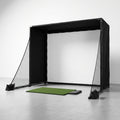
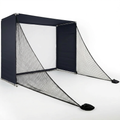
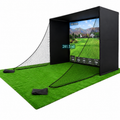
A credible home simulator is a system, not a single purchase. The launch monitor gets attention because it measures the shot, but the enclosure, impact screen, hitting mat, projector or display, software, and room preparation determine whether the experience is safe and repeatable.
Entry-level setups can provide valuable basic ball data in a net or outdoor hitting area. A full indoor build with club and ball data, simulation software, an enclosure built for real driver speeds, and a quality screen requires a larger investment. Neither direction is automatically right. The correct choice is the one that matches your training goal and physical space without forcing compromises that make the system frustrating to use.
Think about cost in terms of use, not only sticker price. If a golfer spends $40 to $60 per range visit and makes two trips a week, annual spending can climb quickly before fuel and time are considered. That does not mean a simulator replaces every range session or lesson. It means frequent, structured home practice can shift the economics over several seasons.
Software should be part of the calculation as well. Some systems have annual subscriptions for courses, practice modes, or enhanced data features. Others have different licensing structures. Understand what is included, what requires a subscription, and whether the launch monitor works with the software you want to use before building around it.
Accuracy and Low Latency Matter More Than Flashy Features
The value of a simulator rests on whether you believe its feedback. If carry distance, launch, spin, or shot shape feel inconsistent from one session to the next, you will either ignore the numbers or make the wrong swing changes trying to satisfy them.
Ball speed and carry are useful starting points, especially for distance gapping. For serious improvement, club delivery and spin-related data add context. A shot that flies short may be a low-face strike, too much dynamic loft, excess spin, poor speed, or a combination. Better measurement helps separate those causes.
Latency matters too. The closer the displayed ball flight is to the strike, the more natural the practice rhythm feels. Delayed feedback interrupts the cause-and-effect connection that makes simulator training productive. You want to hit a shot, see it react immediately, and move into the next repetition with a clear adjustment.
Not every golfer needs every available data point. Paying for information you will never use is not a smart investment. But cutting accuracy, compatibility, or reliability to save money can make an otherwise promising setup less useful every day.
Space and Safety Can Decide the Purchase
Before comparing launch monitors, measure the room. Ceiling height is often the first limiter, particularly for taller golfers and full driver swings. Width affects comfort and whether both right- and left-handed players can hit without moving the setup. Depth must account for the player, hitting area, ball flight, screen clearance, enclosure frame, and a safe buffer behind the screen.
Do not rely on room dimensions alone. Take practice swings with your longest club in the intended hitting position. Check for lights, garage-door tracks, ceiling fans, shelving, and low beams. A technically possible driver swing is not enough. You need to swing freely, without altering posture or worrying about clipping the ceiling.
Impact protection deserves equal attention. A screen and enclosure should be rated for repeated, high-speed impact. The mat should be stable and thick enough to support comfortable practice while avoiding harsh contact that punishes wrists and elbows. A flimsy net, poor screen tension, or an undersized hitting area turns a serious training space into a safety concern.
This is where a curated build matters. Components must work together: the monitor needs the correct placement and ball-flight conditions, the screen needs proper clearance, the projector needs a suitable throw distance, and the mat needs to place the ball where the monitor expects it. Scoot the Green approaches home golf around that full-system fit, not a pile of unrelated equipment.
Make the Simulator Produce Better Scores
The simulator earns its value through structure. Start with a baseline session using a few clubs. Record typical carry, ball speed, launch, spin, and dispersion. Do not judge yourself from three swings. Look for repeatable tendencies over enough shots to reveal the real pattern.
Then assign a purpose to each practice session. One day may focus on driver start line and face control. Another may be a wedge ladder, hitting specific carry numbers in five-yard increments. Another can be a simulated round where you play conservatively, choose targets, and learn whether your stock shot holds up under a little pressure.
Avoid turning every session into a search for maximum speed. Chasing personal-best numbers can be fun, but lower scores usually come from predictable distance control and fewer destructive misses. Use the simulator to build a pattern you can take to the course, not a highlight reel that only appears in your garage.
A simple four-part routine keeps practice honest:
- Warm up with short shots and note strike quality before moving to full swings.
- Train one measurable skill, such as face control, carry distance, or launch window.
- Finish with a transfer task, such as a nine-hole simulation or random-yardage challenge.
- Save a few notes on what improved, what did not, and what you will test next time.
The Bottom Line for Serious Home Golf
A golf simulator is worth it when it changes your availability, improves the quality of your feedback, and gives you a space you genuinely want to use several times a week. It is not worth buying for a vague promise of improvement or because the technology looks impressive in a product video.
Build around your room, your swing, and the shots that cost you strokes. Choose data you trust, protection built for real speeds, and components designed to work together. Then give the setup a job: make practice frequent enough, clear enough, and intentional enough that your next round looks different from the last.