EYE MINI CORE Review for Serious Home Golf
Share
A launch monitor earns its place in a serious home setup when it gives you feedback you can act on before the next swing. That is the real question behind an EYE MINI CORE review: not whether it produces impressive numbers, but whether those numbers help turn limited practice time into better contact, tighter start lines, more reliable carry distances, and lower scores.
The EYE MINI CORE is aimed at golfers who want camera-based ball-flight measurement and a credible simulator experience without committing to a permanently mounted overhead unit. It is a meaningful investment, so it should be evaluated as part of a complete practice system: the monitor, the hitting mat, the ball, the computer or display, the software, and the space around the swing.
What the EYE MINI CORE Is Built to Do
The EYE MINI CORE is a portable, camera-based launch monitor designed to sit behind the hitting area and capture impact and early ball flight. That behind-the-ball position is a practical fit for garages, basements, spare rooms, and outdoor hitting areas where a ceiling-mounted monitor may not be realistic.
Its appeal is straightforward. You can build a station that gives you measured feedback on the shots that matter most to your game, then use that information for range practice, skills work, or simulator rounds. Rather than guessing whether a push came from face control, path, strike, or a poor starting line, you have a repeatable baseline for the next shot.
For the committed golfer, that feedback loop is the value. Hit a shot, see the result quickly, identify the pattern, make one clear adjustment, and test it again. When the data is consistent enough to expose the truth about your impact, practice stops being random repetition.
EYE MINI CORE Review: Where It Fits Best
This unit makes the most sense for the golfer who needs flexibility but does not want casual-grade feedback. Maybe the garage still stores vehicles. Maybe your basement golf room has a lower ceiling than an overhead launch monitor requires. Maybe you want to take the unit outside occasionally and practice with real ball flight.
A rear-positioned launch monitor can be easier to live with in those situations. You do not need to install hardware above the hitting zone, and the system can be packed away when the room needs to serve another purpose. That convenience matters, but only if setup remains disciplined. A portable monitor still needs a stable location, proper alignment to the target line, and enough protected space for a full-speed swing.
It is also a strong fit for golfers who care more about actionable ball data than novelty. Carry distance, ball speed, launch, spin, direction, and dispersion are not just simulator statistics. They are the pieces that reveal why a shot finished where it did. A seven-iron that launches too low, spins too little, and comes up short asks for a different solution than one with enough speed but an open face and a right-starting pattern.
The trade-off is that portability creates another responsibility: setup consistency. If the monitor is moved, bumped, or placed on an uneven surface, check alignment before a serious session. A fixed installation removes some of that routine. A portable unit gives you more flexibility, provided you are willing to protect the measurement environment.
Data That Can Change Your Practice
The strongest reason to consider the EYE MINI CORE is not to collect every possible metric. It is to see enough reliable information to make better decisions. Ball speed tells you how efficiently you are delivering energy. Launch and spin help explain trajectory and carry. Side-axis or curvature-related data helps identify why the ball is peeling away from your intended line. Shot dispersion turns a few memorable swings into an honest picture of your pattern.
That is particularly valuable with the clubs golfers often practice poorly at home. Wedges need controlled carry distances, not just a pleasing strike. Mid-irons need predictable launch windows and start lines. Driver practice needs room to test speed and face control without assuming a shot was good simply because it looked solid on the screen.
Club-delivery metrics, where included in the chosen configuration and software package, add another layer. Club path, face-to-path relationship, angle of attack, and smash factor can help a golfer separate cause from effect. But there is a practical caution: more data does not automatically create better practice. If you are fighting a slice, choose one ball-flight measure and one delivery measure to monitor. Chasing six numbers between swings usually creates noise.
A disciplined session might start with ten stock shots to establish a baseline. From there, work on one outcome, such as improving start direction with a mid-iron or tightening carry-distance variation with a wedge. The monitor gives every adjustment a test. That is how data earns its keep.
Simulator Experience and Software Questions
The EYE MINI CORE can support more than a virtual driving range, but software should be part of the purchase decision from the beginning. Launch-monitor hardware, simulation software, course libraries, computer requirements, subscriptions, and included licenses are separate pieces in many home-golf builds. Do not assume that a monitor price automatically includes every simulation feature you want.
Before buying, confirm which software is included with your specific package, whether third-party simulation platforms are supported, and whether any ongoing fees apply. Also confirm the computer requirements if you plan to run a dedicated PC-based simulator. A capable monitor connected to an underpowered computer can still produce a frustrating experience.
Latency deserves attention as well. When ball flight appears immediately after impact, it is easier to connect feel with result. A delayed or unreliable display breaks that connection, especially during short-game work where subtle changes matter. The monitor is only one part of the response chain. Your computer, graphics performance, display, projector, and software settings all influence the final experience.
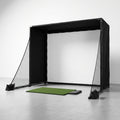
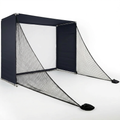
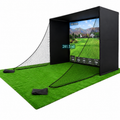
For golfers building a room around simulator play, plan for a durable impact screen or net built for real speeds. The launch monitor can measure a driver well, but the surrounding infrastructure still has to safely contain one. Use a quality hitting mat that does not punish your joints, leave enough clearance around the swing, and protect walls, ceilings, lights, and nearby equipment.
Space, Lighting, and Setup Reality
Home golf works when the room is measured honestly. You need enough ceiling height to make a full, confident swing, enough width to avoid altering your motion, and enough depth for the monitor, ball position, hitting area, and impact screen or net. The exact requirements depend on the unit and enclosure, but measuring only the room dimensions is not enough. Account for where the ball sits, where the unit sits, and how far the club travels through the backswing and follow-through.
Lighting can also affect camera-based systems. Avoid placing intense light sources directly in the monitor's field of view, and keep the hitting zone visually consistent. For indoor work, use the ball type recommended for your configuration. Some systems require marked balls or work best with them to capture the full measurement set accurately.
This is where a carefully planned build saves money. A lower-cost mat that moves under your feet, a screen not rated for driver speed, or a cramped stance area can compromise every session. The monitor may be the brain of the system, but the mat, screen, enclosure, computer, and room determine whether you will actually use it four times a week.
Who Should Look Elsewhere
The EYE MINI CORE is not automatically the right answer for every golfer. If you want a fully permanent room with minimal floor equipment and a clean hitting area for both right- and left-handed players, an overhead system may be more appropriate. It costs more and requires installation planning, but it can be the better long-term fit for a dedicated simulator room.
It may also be more monitor than necessary for golfers who only want occasional entertainment. Accurate data and capable simulation are valuable when they support regular practice. If you will use the setup twice a month, a serious launch monitor can become expensive furniture.
On the other hand, golfers focused on measurable improvement should not choose solely on entry price. A less capable unit that cannot provide trustworthy carry, spin, launch, or directional feedback may limit the very practice you are trying to improve. The best value is the system you can set up correctly, use consistently, and trust when the numbers challenge your assumptions.
A well-built home station can turn a 35-minute evening window into meaningful work on your game. The EYE MINI CORE is worth serious consideration when portability, camera-based feedback, and simulator flexibility match your room and routine. Get the space right, confirm the software path, and build around the shots you need to improve. Then let impact tell the truth.