GSPro Compatible Launch Monitors for Home Golf
Share
A launch monitor can produce excellent numbers and still be the wrong fit for your simulator. With GSPro compatible launch monitors, the question is not simply whether ball flight appears on screen. The real question is whether the monitor, PC, room, software connection, and impact setup work together well enough to make daily practice honest.
GSPro has earned a loyal following because it gives home golfers a deep library of courses, convincing ball flight, and practice modes that make range work more purposeful. Pair it with a monitor that reads impact reliably, and a garage or spare room becomes a place to test a stock 7-iron, identify a spin-axis problem, or play nine holes after work without guessing where the ball would have finished.
But compatibility is not a blanket promise. Different monitors connect to GSPro in different ways, some require additional software or a paid connector, and the quality of the experience still depends on the data your monitor measures. A serious home golf build starts there.
What GSPro Compatibility Actually Means
At the basic level, a compatible launch monitor sends shot data to GSPro, which uses that information to render ball flight. That sounds simple, but the connection can take several forms. Some manufacturers support the integration directly. Others rely on a third-party connector that translates the monitor's data into a format GSPro can use. Certain models also need an active manufacturer software plan or add-on to enable third-party simulation.
Before buying, confirm the exact monitor model, not just the brand name. Verify what software or connector is required, whether it is included or separately licensed, and whether the monitor supports the operating system in your simulator PC. GSPro is designed for Windows, so a strong Windows gaming computer is part of the system, not an optional accessory.
Also check whether the setup is intended for indoor use, outdoor use, or both. A monitor that performs well behind the ball on an outdoor range may need more ball flight or more carefully controlled lighting indoors. Conversely, some camera-based units thrive in a controlled indoor bay but are not designed to travel to the range.
Start With the Data You Need to Improve
Every launch monitor produces a ball flight. The difference is how much of that flight comes from directly measured impact data versus calculated estimates. That distinction matters most when you are trying to fix a repeatable miss.
For basic simulator play, ball speed, launch angle, direction, carry, and total distance can provide a satisfying experience. For handicap-focused practice, more complete feedback becomes valuable. Spin rate tells you whether a wedge is producing predictable stopping power. Spin axis helps explain a curve pattern. Club data such as club path, angle of attack, face angle, and smash factor can show whether the problem happened before the ball left the face.
Not every monitor measures every metric. Some calculate certain values from other readings, and some require marked balls or club stickers to capture advanced club data. Neither approach is automatically wrong. It depends on what you expect the system to teach you.
If your goal is to play virtual golf with friends and maintain a reliable swing through winter, a quality ball-data monitor may be the right value. If you are working to reduce a two-way miss, dial in wedge distances, or understand why your driver spin changes from swing to swing, prioritize a unit with more complete measured data. Data you trust is what turns simulator time into lower scores.
The Main Types of GSPro Compatible Launch Monitors
Camera-based monitors
Camera-based monitors are commonly placed in front of or beside the hitting area. They use high-speed cameras to observe the ball and, on certain models, the club at impact. In a dedicated indoor room, they can deliver detailed club and ball data with a clean, permanent installation.
Their trade-off is placement. A front-mounted unit needs a protected, precise position and enough clearance between the ball, screen, and monitor. If your hitting area must convert back into a garage parking space, moving and recalibrating a front-mounted device may become a regular chore. In a dedicated room, that same fixed setup becomes a strength.
Radar-based monitors
Radar monitors generally sit behind the ball and track the club and ball through portions of flight. Many are portable and can work indoors and outdoors, which appeals to golfers who want one device for a home bay and range sessions.
Indoor radar performance is heavily tied to room geometry. The unit needs enough space behind the ball for setup and enough ball flight toward the screen for reliable tracking. It may also need metallic dots on the ball for accurate indoor spin measurement. Do not assume a radar unit fits because the room is long enough for you to swing a driver. Measure the total depth from rear wall to screen, then account for the monitor position, ball location, stance, and safety buffer.
Overhead monitors
Overhead launch monitors mount above the hitting area, keeping the floor open and allowing both right- and left-handed golfers to hit without moving the device. For a household simulator, that convenience is substantial. There is no monitor to step around, no need to reposition hardware between players, and less chance of a misplaced club or ball contacting the unit.
The trade-off is budget and installation planning. Ceiling height, mounting structure, alignment, cable routing, and hitting-zone dimensions all need attention. When the room supports it, an overhead system is often the most natural choice for frequent play and shared use.
Match the Monitor to Your Room Before Comparing Specs
The fastest way to make an expensive mistake is to shop by data-point count before measuring the room. A launch monitor cannot overcome a driver swing that is restricted by a low ceiling, a screen positioned too close to the ball, or a setup that leaves no room for safe follow-through.
For most home simulator builds, start with width, ceiling height, and depth. Width determines whether right- and left-handed players can swing comfortably. Ceiling height determines whether a full driver swing is truly available. Depth affects monitor placement, screen distance, radar tracking, and the space required for the golfer to stand behind the ball.
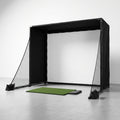
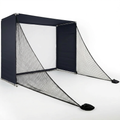
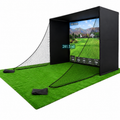
Then consider the screen and enclosure. Your impact screen must be built for real speeds, mounted with enough clearance behind it, and tensioned correctly to manage rebound. A crisp image is good. A safe strike zone is non-negotiable. The monitor also needs a clear view of the ball and screen without interference from frame members, lighting, or reflective surfaces.
A small room can still become a productive practice space. It may simply favor a compact camera-based or overhead design over a radar unit that wants more flight. Likewise, a deep garage bay may make a portable radar monitor an efficient choice. The best monitor is the one that works reliably in the space you own, not the one with the longest specification sheet.
Plan for the Entire GSPro System
GSPro performance is shaped by more than the launch monitor. Ball flight, course graphics, and low-latency response place real demands on the computer. A capable gaming PC with a dedicated graphics card, sufficient memory, and stable connectivity helps the system feel immediate after impact. If the image stutters or shots arrive late, practice loses its rhythm.
Projection and display also change the experience. A projector and impact screen create the most immersive simulator environment, while a large TV or monitor can be practical for a compact training bay. Either way, position electronics outside the strike zone and protect cables from foot traffic, carts, and errant shots.
Budget for the less glamorous pieces as well: a quality hitting mat that does not punish your joints, a level stance platform, adequate lighting, and enough room to access the computer without standing in the ball's path. These details affect how often you use the setup. A simulator that takes 15 minutes to prepare will see less practice than one that is ready when you are.
Questions to Answer Before You Buy
A good decision becomes clearer when you answer a few practical questions. Do you need right- and left-handed play without moving equipment? Will you use the monitor outdoors? Are advanced club metrics necessary for your coaching and practice goals? Is your room deep enough for radar? Do you want a fixed installation or a portable unit you can store after a session?
Also factor in ownership costs beyond the monitor itself. Depending on the model, that can include GSPro licensing, a manufacturer subscription, third-party connection software, marked balls, club stickers, or PC upgrades. Understanding those costs upfront protects the value of the system over time.
Compatibility requirements can change through software updates, so verify current support before placing an order. Real support matters here. A monitor that is technically compatible but poorly matched to your space is not a serious solution.
The right GSPro setup should make you want to hit purposeful shots, not troubleshoot hardware. Build around reliable impact measurement, safe room dimensions, and feedback you can use on the next swing. That is how home golf starts earning its keep.