Indoor Golf Safety for a Serious Home Setup
Share
A home simulator should make it easier to practice with purpose, not create a new hazard every time you pull driver. Indoor golf safety comes down to controlling the ball, the club, the room, and the people around you before the first swing. A clean setup protects your home and your household, but it also protects the quality of your practice. When you trust the space, you can make a committed swing and pay attention to carry, club path, spin, and strike instead of worrying about what might break.
Indoor Golf Safety Begins With the Room
The room sets the ceiling on every other equipment decision. Before choosing a launch monitor, screen, or mat, measure usable width, depth, and height. Usable is the key word. A room may look large until a garage door track, ceiling fan, beam, light fixture, shelving unit, or low-hanging duct enters the swing path.
Height is usually the first constraint for golfers who want to hit driver. Many players can make a partial swing under a lower ceiling, but that does not make the room safe for full-speed practice. Stand where the ball will sit and make several slow, full-motion rehearsal swings with your longest club. Check clearance at the top of the backswing, through impact, and on the follow-through. Leave margin. A club that clears an obstacle by an inch during a slow rehearsal can still catch it when tempo increases or your balance shifts.
Width matters just as much. Right-handed players need clearance behind and beside their trail shoulder, while left-handed players need the opposite. If multiple golfers will use the room, test both orientations. A centered hitting bay may be safer for one player but put the other player too close to a wall, screen frame, or launch monitor.
Depth determines whether your enclosure, hitting position, and sensor can work together without compromise. Your ball must have enough room to reach the screen or net safely, and you need sufficient space behind the ball for the club and any radar-based launch monitor. Do not force a system into a room that cannot accommodate its operating position. Incorrect placement can hurt data accuracy and put expensive equipment directly in the line of fire.
Build a Containment System, Not Just a Target
A hitting net may be enough for low-speed chip work. It is not automatically enough for full driver swings. Serious home golf requires impact infrastructure built for real speeds, especially when practice includes high-ball-speed players, premium balls, or repeated sessions.
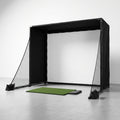
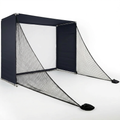
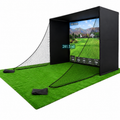
A proper enclosure creates a controlled hitting zone. The impact screen or net catches the initial strike, while side netting, side curtains, ceiling protection, and a protective floor plan manage misses and rebounds. The goal is not merely to stop a perfectly struck ball. It is to contain the heel shot, the shank, the low bullet, and the shot that catches a screen edge.
Screen tension deserves attention. An overly tight screen can create a sharper rebound, while an overly loose screen can allow the ball to contact a wall or structure behind it. Follow the screen manufacturer’s installation guidance and maintain the recommended buffer behind the impact surface. That space gives the screen room to absorb energy.
Inspect the enclosure regularly. Look for worn stitching, loose bungees, frayed netting, frame movement, and gaps at the sides and bottom. A small opening can become a predictable escape route after enough impacts. If your setup is in a garage, also check the condition of the screen and netting after major temperature changes. Materials can tighten, loosen, or wear differently across seasons.
Protect the ceiling, walls, and floor
The highest-risk misses often travel upward or sideways, not straight ahead. Overhead netting or impact-rated ceiling protection is a smart addition when ceiling clearance is close or when players tend to hit high-launching shots. Side protection should extend far enough back to cover the point where a ball can leave the clubface, not only the front edge of the screen.
Hard floors introduce another issue: bounce. Concrete, tile, and hardwood can turn a ball that drops short of the target into a fast rebound. Use turf, padding, or another suitable protective surface around the hitting area, particularly between the ball and enclosure. This also makes practice more comfortable and reduces wear on clubs and balls.
Keep People Outside the Swing and Ball Zone
The safest simulator rule is simple: one player swings, everyone else stays behind the designated line. That includes adults who are watching ball flight, children who want to retrieve a ball, and the golfer who assumes a practice swing does not count. A club can cause injury before a ball is ever struck.
Mark a clear spectator boundary behind the hitter. In a dedicated room, that may be a line in the turf or a furniture layout that naturally keeps people back. In a garage or multipurpose space, establish the rule verbally before each session and enforce it every time. Casual habits cause most preventable incidents.
Never allow someone to stand beside the hitting mat to watch launch-monitor readings or simulator graphics. They should view data from behind the player, after the club has stopped moving. If children use the room, an adult should control access during full-swing sessions. Home golf can be a great family activity, but the hitting bay is not a play area while clubs are moving.
Pets need the same consideration. Dogs in particular can move toward a rolling ball or react to impact sound. Keep them outside the room or behind a closed barrier during practice. A quiet, controlled bay produces better focus anyway.
Position the Launch Monitor for Safety and Accurate Data
A launch monitor is part of the practice system, not an accessory to place wherever there is open floor. Its position affects both ball-flight measurement and physical protection.
Overhead units keep hardware out of the immediate swing area, but they must be mounted securely and aligned precisely with the hitting zone. A loose mount, poor cable management, or incorrect alignment can create bad readings and unnecessary risk. Confirm that the mount supports the unit’s weight and that power cables are routed away from walking paths.
Camera-based monitors placed near the ball should sit in their approved location, on a stable and level surface. Do not place them where a golfer can strike them during the takeaway or where a ball can roll into the device after impact. Radar units placed behind the golfer need their required distance to the ball and a clear view downrange. Putting a radar unit too close to the hitter is not a space-saving trick. It can degrade data and create a tripping hazard.
Use a protective case or designated barrier only if it does not block the device’s cameras, radar, or required field of view. The best protection is correct positioning. The second-best protection is a barrier designed around the monitor’s operating requirements.
Treat the Hitting Mat Like Performance Equipment
A stable mat is safer than a mat that slides, curls, or shifts during transition. Secure the mat to the floor or place it on a non-slip base. Check that edges lie flat, especially if your hitting area is assembled and stored between sessions.
The strike surface also matters. A thin, hard mat over concrete can increase stress on wrists and elbows when contact is heavy. A quality hitting strip or mat designed to accept a descending blow can reduce that punishment while preserving a realistic strike. No mat eliminates the need for sound mechanics, but your practice surface should not reward bouncing into the ball or punish every slightly heavy shot.
Keep loose balls organized in a tray or bucket behind the hitter, never scattered around the stance area. A single ball underfoot can turn a normal setup into a slip. The same applies to alignment rods, extra clubs, chargers, and drink containers. The hitting area should have one job: support a repeatable swing.
Use Safe Practice Rules That Still Produce Better Golf
Safety does not require timid practice. It requires disciplined practice. Start each session with a quick room check: screen secure, mat stable, floor clear, monitor aligned, and no people or pets inside the boundary. That takes less than a minute and removes distractions before they affect your swing.
Match the club to the space. If ceiling height is marginal, use wedges, short irons, or controlled punch shots rather than convincing yourself that driver will fit. That is not settling for less. A focused wedge session with measurable carry windows and face-to-path feedback can produce more on-course value than a risky driver session in a compromised room.
Use clean, undamaged balls for full-speed simulator work. Cracked balls can behave unpredictably on impact, while dirty balls can mark a screen and affect camera recognition. Avoid hitting anything other than golf balls into an impact screen unless the equipment manufacturer specifically approves it.
Finally, respect fatigue. Late-session swings tend to get longer, faster, and less coordinated. If you are repeatedly contacting the enclosure frame, brushing the ceiling, or losing balance on the mat, stop and reset. Data you trust starts with an environment you can trust.
A serious home setup earns its keep when it gives you the freedom to practice often and swing with intent. Build the bay around real ball speeds, real movement, and real household boundaries, and every session has a better chance to carry over to the course.