Home Golf Simulator Packages That Fit Your Game
Share
A serious home setup should do more than put a course on a screen. The right home golf simulator packages give you a repeatable feedback loop: strike a shot, see accurate ball flight, review the numbers that caused it, and make a better swing before the feeling disappears. That is practice that can earn its keep when the next round matters.
For committed golfers, the package matters because the components have to work together. A highly capable launch monitor cannot compensate for an unsafe screen, a cramped hitting bay, poor software fit, or a setup that takes too long to use. The best system is the one that fits your room, captures the data you need, and makes it easy to hit purposeful shots several times a week.
What a Complete Simulator Package Should Solve
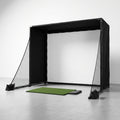
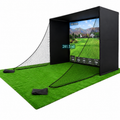
A package is not simply a launch monitor and a projector. It is a connected practice environment built around measurement, safety, and reliable use. Depending on the room and your goals, it may include a launch monitor, impact screen and enclosure, hitting mat, projector, computer or device connection, simulator software, and turf or putting surface.
Each piece affects the result. Launch monitor accuracy determines whether you can trust carry, ball speed, launch angle, spin, and shot shape. The screen must be rated for repeated impact at real driver speeds. The mat needs to provide enough stability and forgiveness for regular practice without becoming a source of poor footing or unnecessary joint strain. Software needs to show meaningful ball flight with low enough latency that your practice feels connected to the shot you just hit.
The goal is not to buy the most equipment. It is to remove the friction between deciding to practice and getting useful feedback. If your system is quick to start, safe to swing in, and consistent from session to session, it becomes part of your game instead of another expensive room accessory.
Start With the Room, Not the Launch Monitor
The most common buying mistake is choosing the technology first and measuring later. Your available space will determine the kind of simulator package that makes sense, particularly if you want to hit driver indoors.
Ceiling height is usually the first constraint. Many golfers need roughly 9 to 10 feet of clearance to make a comfortable full swing, though taller players and golfers with upright swing planes may need more. Do not measure only to the bottom of a light fixture or garage-door track. Measure the actual clear swing zone, then make practice swings at the planned hitting position before committing to a build.
Room width affects both safety and comfort. A right-handed golfer hitting from a narrow bay may feel restricted on the backswing or follow-through. If more than one golfer will use the space, especially players with opposite handedness, the layout needs more thought. Depth matters as well. You need room for the player, the ball position, the screen, and any required monitor placement behind, beside, or ahead of the ball.
A garage may offer excellent depth but require attention to heating, lighting, concrete floors, and door clearance. A basement can be quieter and more finished but often presents ceiling limitations. A spare room may be ideal for a compact camera-based build or a net-and-monitor training station, even if it cannot support a full projection enclosure. The room does not have to be perfect. It does need to be honest about what it can safely support.
Build for Your Most Important Shot
If driver practice is central to your goals, build around driver. Confirm ceiling clearance, screen distance, enclosure depth, and monitor compatibility with full-speed shots. If your space cannot safely accommodate a driver, a compact setup focused on wedges, irons, club path, face delivery, and carry control can still produce meaningful improvement.
There is no value in forcing a full simulator into a room that makes you shorten your swing. A smaller, credible training build is better than a larger system you hesitate to use.
Choose Data That Changes Decisions
Not every golfer needs every metric. But the data you receive should explain why the ball flew the way it did.
At a minimum, serious practice benefits from reliable ball speed, carry distance, launch angle, spin, direction, and dispersion. Those numbers reveal whether a short shot came from a poor strike, too much spin, low launch, or an offline start line. For golfers working on swing mechanics, club data such as club speed, attack angle, club path, face angle, and smash factor can make the feedback even more actionable.
Consider what you are trying to improve. A player fighting a slice may need trustworthy start direction and spin-axis feedback. A golfer chasing distance needs accurate ball speed, launch, and spin to identify whether speed gains are translating into better carry. A competitive player preparing for the season may care most about gapping, approach dispersion, and the ability to hit the same stock shot repeatedly under pressure.
Camera-based and radar-based systems can both be excellent, but they have different placement needs and strengths. The correct choice depends on your room dimensions, whether you play right- and left-handed, your need for indoor versus outdoor use, and the data points that matter to your practice. Compatibility is not a detail. It is the foundation of a package that works the first day and keeps working after hundreds of shots.
Do Not Treat the Impact Area as an Afterthought
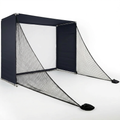
The impact screen, enclosure, and hitting surface are where simulator safety becomes real. A screen must handle repeated ball strikes without excessive bounce-back, premature wear, or distracting noise. An enclosure needs appropriate side protection and enough depth to contain the shot safely. A quality setup also manages light so the projected image remains clear without creating glare or making it difficult for the monitor to read the ball.
Cheap impact infrastructure often looks acceptable until it meets a fast driver. That is where a serious package separates itself. Built for real speeds means the screen, frame, fittings, and side protection have been selected with actual golf shots in mind, not just occasional foam-ball use.
The hitting mat deserves the same scrutiny. Look for a stable stance area and a hitting strip that allows realistic turf interaction. If you regularly hit down on the ball, an overly thin or unforgiving mat can create discomfort and discourage practice. The right surface helps you work on contact without asking you to protect your body from the floor.
Software Should Support Practice, Not Distract From It
Course play is a major reason many golfers buy a simulator, and it should be fun. But the software also needs useful practice modes. A productive system should let you work through a bag-mapping session, target practice, combine-style test, or approach-shot challenge without unnecessary setup.
Look closely at device requirements, subscription costs, course libraries, graphics preferences, and connection options before you buy. Some golfers value a highly realistic course experience. Others care more about efficient data review and simple range sessions. It depends on whether the simulator will be primarily a training tool, an entertainment space, or both.
Latency matters here. When the ball flight appears promptly and the shot result matches what you felt at impact, you can make a clean adjustment. Delayed or inconsistent feedback breaks that connection and turns practice into guesswork.
Match the Package to Your Use Pattern and Budget
A good budget starts with how often you will use the system. If you expect daily 20-minute practice sessions, prioritize quick startup, reliable measurement, and a mat you can stand on comfortably. If weekend rounds with friends are the main purpose, an enclosure, projection experience, and software features may deserve more of the budget.
Avoid spending heavily on one component while compromising the rest of the system. An elite launch monitor paired with a weak screen or poorly fitted room creates frustration. Likewise, a beautiful enclosure cannot make unreliable numbers useful. Home golf simulator packages work best when the launch monitor, bay dimensions, impact protection, and software are selected as one system.
It also helps to plan for what is not always obvious: flooring, lighting, a projector mount, power access, a gaming-capable computer if required, and room conditioning. These are not glamorous purchases, but they determine whether the finished space feels permanent and performs consistently.
Get the Setup Right Before It Arrives
Before ordering, measure the room in three dimensions, identify the intended ball position, and note obstacles such as ceiling fans, ducts, garage rails, windows, and doors. Decide who will use the bay and whether opposite-handed play is required. Then confirm the placement requirements of the chosen monitor and the recommended screen distance.
This is where specialist guidance has real value. Scoot the Green focuses on serious home golf builds because a compatible system is worth more than a collection of impressive specifications. The right pre-purchase questions can prevent a screen that is too large, a monitor that does not suit the room, or a layout that leaves no safe follow-through space.
Once installed, begin with baseline sessions instead of chasing swing changes immediately. Record carry numbers, common miss patterns, and dispersion with your scoring clubs. Give yourself a target for each session, whether it is starting more wedges on line, tightening a 7-iron pattern, or improving strike quality with driver. Measured practice becomes powerful when you compare one honest baseline with the next.
Your best package is the one that makes you want to hit ten focused balls after work, then gives you enough truth in the data to know what those ten balls accomplished.