Radar Versus Camera Launch Monitors Compared
Share
A launch monitor can turn a garage, basement, or spare room into a place where practice produces evidence. But radar versus camera launch monitors is not a simple accuracy contest. The better choice depends on how you hit, how much space you have, whether you want simulator golf, and which numbers will actually change your next round.
Both technologies can deliver useful ball-flight feedback. Both can support serious home golf. The difference is in how they see impact and ball flight - and that affects room design, setup routine, putting performance, and the confidence you can place in each shot.
Radar Versus Camera Launch Monitors: The Core Difference
Radar launch monitors sit behind the ball and use Doppler radar to track the ball after impact. They measure the ball moving through space, then calculate data such as ball speed, launch angle, carry distance, spin, spin axis, and shot shape. Higher-end radar systems may also capture club data, including clubhead speed, club path, angle of attack, and face-to-path relationship.
Camera-based monitors typically sit in front of the ball or beside the hitting area. High-speed cameras capture the first moments of ball flight, along with detailed images of the ball and, on some systems, the club through impact. The unit uses those images to calculate launch conditions and project the full flight.
Neither approach is automatically superior. Radar benefits from seeing the ball travel. Cameras excel at reading what happens immediately at impact. The right choice comes down to the environment and the kind of feedback you need most.
Why Space Often Makes the Decision
For many home builds, available space settles the radar versus camera launch monitor question before the feature list does.
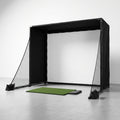
Radar needs room behind the ball for the unit and room in front of the ball for the radar to track flight. Exact requirements vary by model, but a full simulator installation commonly needs enough depth for the player, ball, monitor, and a meaningful stretch of flight before the impact screen. In a tight garage bay or shallow basement, those requirements can become the limiting factor.
Camera systems are usually more forgiving in compact spaces because they measure the strike close to the ball. A front-mounted or overhead camera monitor can be especially useful when room depth is limited. That does not eliminate the need for safe dimensions. You still need adequate ceiling height, enough screen clearance for a driver, and a hitting position that lets you swing freely. It simply means the monitor itself may demand less downrange tracking distance.
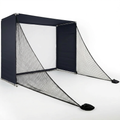
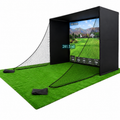
This is why a serious home golf build starts with a tape measure, not a product comparison chart. Measure total room width, depth, and ceiling height. Then account for your hitting mat, tee position, screen or net setback, enclosure frame, and comfortable swing clearance. A launch monitor that looks ideal online is not ideal if it forces compromised ball placement or puts the screen too close for real driver speeds.
Outdoor use changes the equation
Radar can be an excellent option for golfers who practice outdoors and have open ball flight. A driving range, backyard hitting bay with safe depth, or outdoor net setup can give radar the conditions it needs to track naturally. If you want to see actual ball flight while collecting carry, spin, and dispersion information, that is a meaningful advantage.
Camera monitors can work outdoors too, but bright sunlight, uneven ground, and alignment can affect the experience depending on the model. The best choice is still the one built for your primary practice location, not the occasional session you might have elsewhere.
The Data That Matters for Better Golf
A launch monitor can generate a long list of numbers. That does not mean every number deserves equal attention.
For most golfers working on scoring improvement, reliable ball speed, launch angle, spin rate, carry distance, total distance, offline distance, and dispersion provide a strong foundation. Those metrics tell you whether impact is becoming more efficient and whether your stock shot is becoming more predictable.
Radar systems often appeal to players who want a broad picture of ball flight and club delivery. If you are working on a persistent fade, hook, or inconsistent driver, club path, angle of attack, face-to-path, and spin axis can help identify the pattern behind the result. The best sessions connect those numbers to a specific task, such as raising driver launch without adding excess spin or tightening the carry window on an 8-iron.
Camera systems are frequently valued for precise impact-zone measurement. They can be highly effective for indoor iron practice, wedge distance control, and detailed launch analysis when there is limited room. Because they capture the ball so close to strike, they do not need to observe as much flight to provide useful results.
The key is consistency. You need data you can trust from session to session. One isolated perfect number means little. A repeatable baseline lets you test a swing change, compare balls, map carry distances, or confirm that a better strike is producing better smash factor instead of just looking better on video.
Simulator Play and the Short-Game Question
If simulator golf is part of the plan, evaluate more than full-swing shot data. Your monitor needs to work reliably with the software you plan to use, communicate quickly enough to keep the experience natural, and fit your room without creating awkward setup steps before every round.
Latency matters. When ball flight appears immediately after impact, simulator practice feels connected to the swing. A delayed or inconsistent response can make it harder to trust the feedback, especially when several players are rotating through a round.
Putting is another important dividing line. Some camera-based systems can read short putts directly and may offer a more complete indoor putting experience. Many radar systems need a minimum ball speed or may use estimated putting behavior, depending on the unit and software. That does not make radar a poor simulator choice, but it does mean golfers who want every putt measured should verify putting capability before they build around a platform.
For some households, automatic shot detection also matters. A unit that handles right- and left-handed players without repositioning can make a shared simulator room far more practical. If the monitor must move or be recalibrated between players, the setup may still be accurate, but the round will be slower.
Setup Discipline Determines Accuracy
The best launch monitor cannot overcome a rushed installation. Alignment, level ground, clean hitting mats, ball placement, and proper distance from the screen all affect the quality of the result.
Radar units generally require careful alignment directly behind the target line. A monitor that is slightly open, closed, too high, or placed at the wrong distance can influence directional readings. Camera units have their own demands: the ball must sit in the designated hitting zone, lenses need to stay clean, and the unit must have a clear view of impact.
This is not a reason to avoid either technology. It is a reason to choose equipment you can set up correctly every day. A permanent indoor installation with marked ball position and a stable mat platform makes repeatable data easier to achieve. For portable use, a monitor with a straightforward alignment routine can save enough time to keep practice from becoming a chore.
Cost Should Follow the Intended Use
Price ranges overlap, but the total investment is more than the launch monitor. A credible indoor system may also require a durable hitting mat, impact screen or net, enclosure, projector or display, device compatibility, and simulator software. Buying the least expensive monitor only to discover it does not support your preferred software or room dimensions is not a bargain.
Start with the job the system must do. A golfer who wants structured range sessions and outdoor driver work may get excellent value from radar. A golfer building a compact indoor bay for frequent iron practice and simulator rounds may be better served by camera technology. A dedicated golf room with enough depth can support either, making data preferences, software, and short-game expectations more important.
Scoot the Green approaches this decision as a complete practice environment, not a single spec sheet. The monitor, mat, screen, enclosure, and available space have to work together. That is how feedback stays reliable and practice earns its keep.
Choose the Monitor That Fits Your Real Swing Space
Choose radar when you have enough depth, value outdoor versatility, and want ball-flight tracking with meaningful club-delivery feedback. Choose camera when space is tight, indoor impact measurement is the priority, or direct putting performance matters to your simulator setup.
The winning setup is not the one with the longest data list. It is the one you can use four nights a week, with enough room to make an unrestricted swing and enough confidence in the numbers to act on them. Build around that standard, and every ball you hit at home has a better chance of showing up on the course.