SkyTrak Plus Review for Serious Home Golf
Share
A launch monitor earns its place in a home setup when it changes what you do between shots. This SkyTrak Plus review looks at the monitor through that standard: Does the feedback identify the strike pattern costing you shots, and can it do so reliably enough to make a garage, basement, or spare room productive?
For the committed player, SkyTrak Plus is a meaningful step up from basic ball-flight entertainment. It combines camera-based ball measurement with dual Doppler radar for club data, giving you a more complete picture of impact without moving into the price range of premium overhead systems. It is not the right answer for every room or every golfer. But for a serious home golf build with realistic space, it offers a strong balance of data, simulation capability, and practical ownership.
What SkyTrak Plus Measures and Why It Matters
SkyTrak Plus is built around the numbers that make practice transferable: ball speed, launch angle, backspin, side spin, side angle, carry distance, total distance, apex, descent angle, and flight time. Its radar component adds clubhead speed, club path, face angle, face-to-path, and smash factor. Depending on the mode and software in use, the system provides up to 15 useful ball and club data points.
That mix matters because carry distance alone does not explain a miss. If a 7-iron launches too high and falls short, you need to know whether the cause is excess spin, a speed loss, a high-face strike, or a delivery issue. If your driver starts right and stays right, face angle and club path help separate a face-open push from a path problem. Better feedback shortens the trial-and-error cycle.
The club data is the Plus model's biggest practical advantage over the original SkyTrak. A player working to neutralize an out-to-in path can see whether a swing change actually moved the path, rather than judging only from a curved shot on screen. That is more useful for purposeful practice, especially when you have limited time after work or between family commitments.
SkyTrak Plus does not measure impact location on the clubface, and it should not be treated as a replacement for a professional fitting or a high-end tour-level analysis system. Still, it gives most recreational and competitive amateur players enough information to build a disciplined practice plan around start line, curvature, speed, launch, and spin.
SkyTrak Plus Review: Accuracy and Ball Flight
The SkyTrak Plus experience is strongest indoors, where lighting and hitting conditions are controlled. Its camera-based measurement system is designed to capture the ball immediately after impact, then calculate the resulting flight. With clean golf balls, correct placement, and a stable level surface, the ball data is detailed enough for gapping work, wedge-distance control, and meaningful shot-shape practice.
As with any consumer launch monitor, the quality of your setup affects the quality of the result. A ball placed outside the hitting zone, a unit that has shifted during a session, or a poorly leveled mat can create frustrating reads. The monitor needs to be positioned beside the ball, so right-handed and left-handed players need to move or reposition it when switching sides. That is less convenient than an overhead unit, but it is normal at this price level.
SkyTrak Plus is particularly valuable for the golfer who wants confirmation rather than guesswork. You can hit ten stock 8-irons and compare carry, spin, launch, and dispersion. You can test whether a lower-flight wedge shot truly reduced launch and added spin control. You can also identify the shot that felt solid but came up short because ball speed dropped.
The trade-off is that indoor results are only as honest as the ball strike and the hitting surface allow. A worn mat can mask fat shots, while limited ceiling height can cause you to alter your swing. Do not judge the monitor by a room that prevents you from making a normal move. Impact tells the truth, but your environment has to let you create a real impact.
Simulator Play and Software Considerations
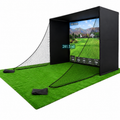
A serious simulator is more than a projected driving range. The visual ball flight needs to follow the shot quickly enough that your brain connects feel with result, and the software needs practice modes that turn data into decisions. SkyTrak Plus supports a range of compatible software options, from dedicated range sessions to course play and skills-based games.
Your subscription and software choice deserve the same attention as the launch monitor itself. Some golfers primarily need a reliable range, bag mapping, and dispersion review. Others want realistic course play for winter rounds or household use. The best choice depends on whether your priority is lower scores, entertainment, or both.
Do not assume every software package includes the same courses, driving-range tools, graphics, or multiplayer features. Review the ongoing subscription cost before building it into your budget. A lower initial equipment price can become less attractive if the software you actually want requires a recurring plan you will not use enough to justify.
Connection quality also matters. A stable network, a capable computer or tablet, and a display setup sized for the room all contribute to a better session. The monitor is only one part of the feedback loop: measured impact, visible ball flight, then a clear decision about the next swing.
Space Requirements Before You Buy
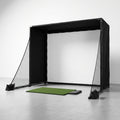
SkyTrak Plus can fit where many full simulator systems cannot because it sits on the floor beside the ball. That makes it a realistic option for garages, basements, and multipurpose rooms. But compact equipment does not eliminate the need for safe swing space.
Most golfers need enough room to swing a driver naturally, enough ball flight for the monitor to capture the shot, and enough distance behind the ball for a secure impact screen or net. Ceiling height is often the limiting factor. A player who can make a cautious half-swing under a low ceiling has not built a driver practice station.
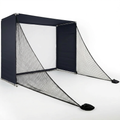
Measure the room with the tallest club in hand, not just with a tape measure. Check width through the full backswing and follow-through, especially if both right- and left-handed players will use the space. Build safety into the plan with side protection, a ball-stop solution, and an impact surface rated for real driver speeds. A screen that is too close, loose, or poorly supported can compromise both safety and image quality.
For outdoor use, expect more variables. Sun angle, uneven surfaces, wind, and device visibility can all affect the session. SkyTrak Plus can be a useful outdoor practice tool, but its best case remains a controlled hitting environment where you can establish repeatable conditions.
Who Should Buy SkyTrak Plus?
SkyTrak Plus makes the most sense for the golfer who wants credible at-home data without committing to the cost and installation demands of an overhead commercial-style system. It is especially compelling for players who want club path and face information alongside reliable ball data, and who will use the unit frequently for practice, simulation, or both.
It is a good fit for handicap-focused golfers building a first serious setup. You can create a repeatable station for gapping, wedge matrices, start-line drills, and driver dispersion without relying on range balls or daylight. For a golfer who practices with a purpose, that consistency can produce better decisions on the course.
It is less ideal for households that constantly switch between right- and left-handed players, for rooms with very low ceilings, or for buyers who want completely hands-off overhead convenience. Players needing advanced club delivery metrics, face strike mapping, or the broadest possible outdoor flexibility may need to consider a different technology category and budget.
The Real Value Is the Practice Plan
SkyTrak Plus is not valuable because it can show a virtual shot landing on a fairway. Its value comes from making your practice measurable. Set a target carry window, define an acceptable launch and spin range, and track dispersion over enough shots to see a pattern instead of reacting to one poor swing.
A productive session might be thirty minutes of wedge calibration, six controlled shots at each distance, followed by a short block with the club that costs you the most strokes. Keep the goal narrow. If you are trying to change path, face angle, launch, and tempo all at once, the data becomes noise.
For golfers willing to build a safe space and use the numbers with discipline, SkyTrak Plus is a capable centerpiece for serious home golf. Start with the room, match the software to how you will actually practice, and let every session answer one useful question about your game.